Introduction
The thesis present construction of Car Maintenance and Memos Online Application which learn about development application on smartphone using react native. This is application made for reduce low maintenance problem, It can damage your car parts. And can reduce the overlap maintenance problem in car use together. In application can divided in 2 categories is car maintenance mode and memos mode. And important part of this application are use together with email
Architecture Diagram
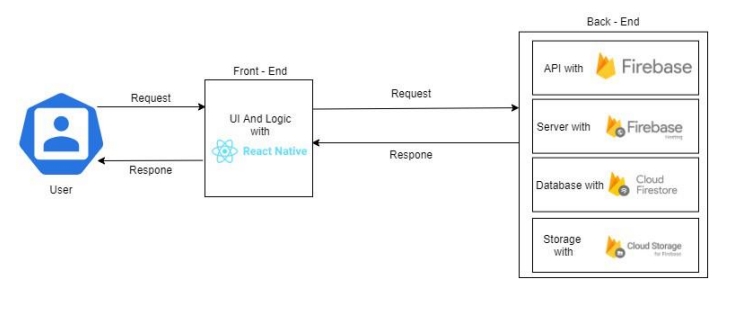
• The architecture of the application will consist of the following three components:
• User Interface (UI): This component handles the interaction between the user and the application, including the visual elements and user experience.
• User Interaction Layer: This layer manages how user inputs and interactions are processed and communicated within the application.
• Firebase Database Layer: This component is responsible for managing and storing data in Firebase, ensuring data persistence and retrieval.
• Use Case Diagram
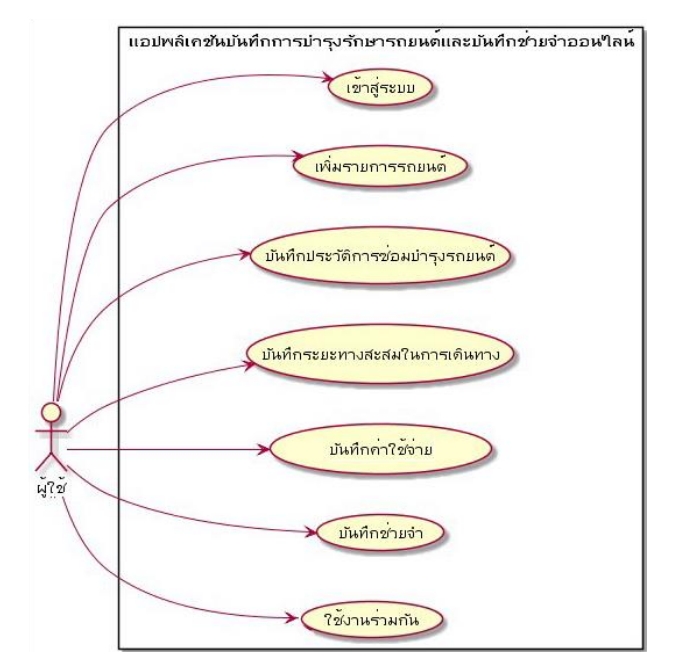
• The system for the vehicle maintenance and online reminder application must perform the following 7 use cases:
• Log In: Users must be able to securely access their accounts.
• Add Vehicle: Users can add new vehicles to their account.
• Record Maintenance History: Users can log details of vehicle maintenance and repairs.
• Track Mileage: Users can record the accumulated mileage of their vehicles.
• Record Expenses: Users can keep track of expenses related to vehicle maintenance.
• Set Reminders: Users can create reminders for upcoming maintenance tasks or other relevant events.
• Collaborate: Users can work together or share information within the system.
Overview
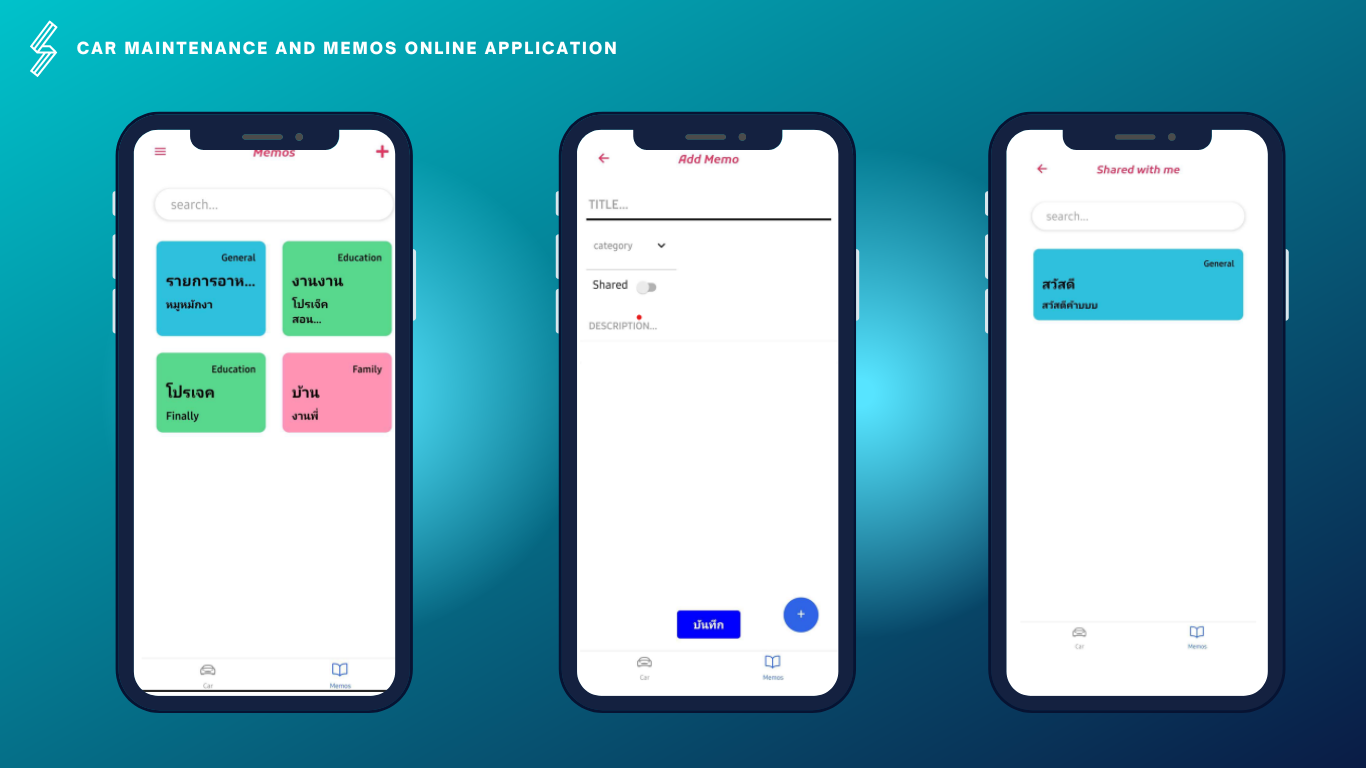
The application will have two main functional categories: the vehicle maintenance record category and the memory log category. Both categories allow users to share data with others, enabling the logging of vehicle maintenance records and sharing maintenance history with other users.
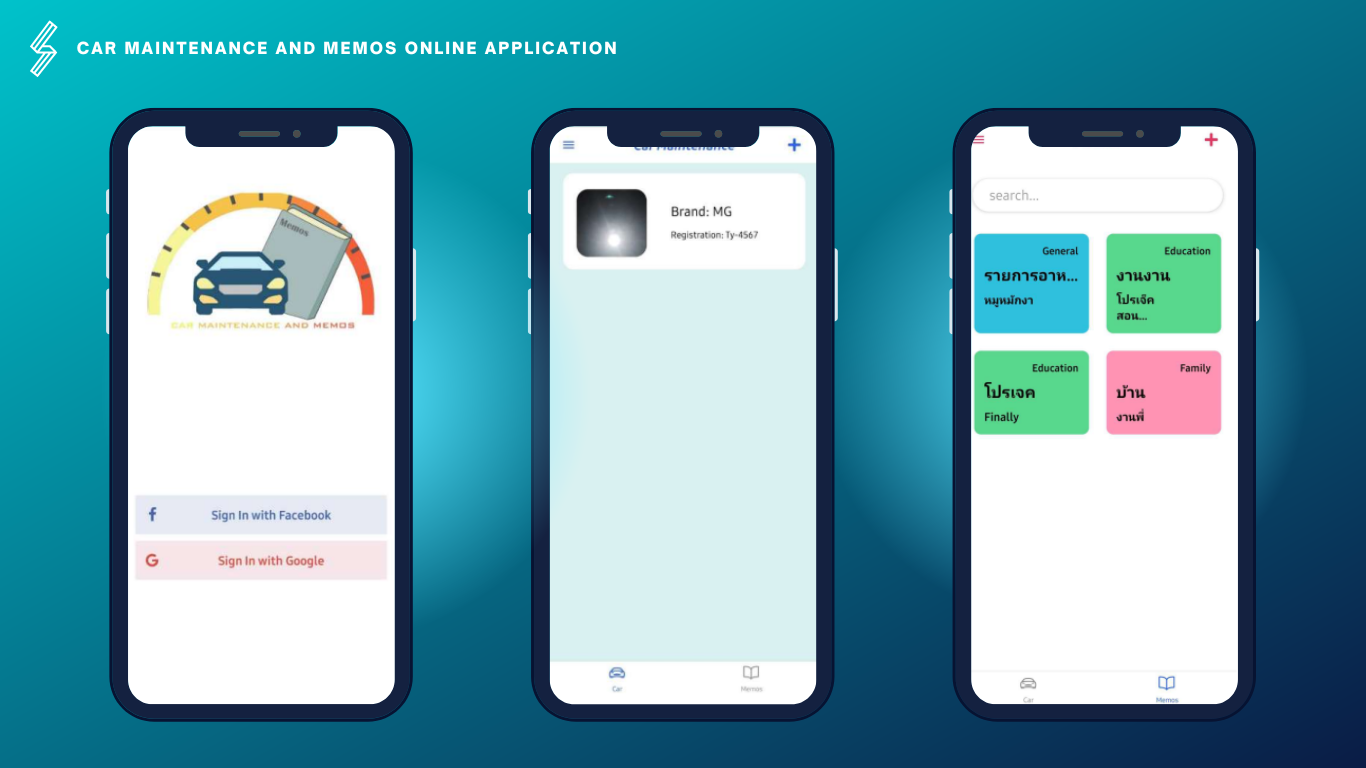
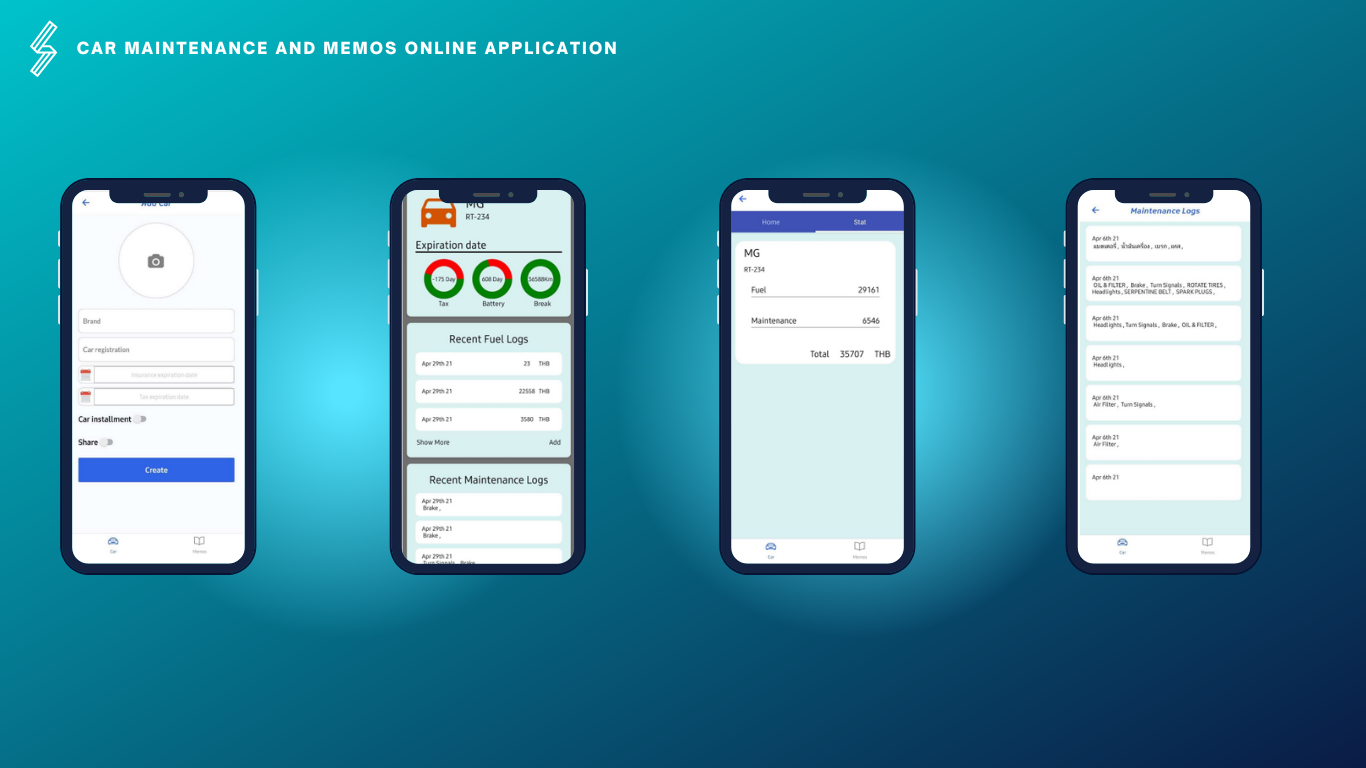
• The vehicle maintenance record category allows users to:
• Add individual vehicles.
• Log and view repair history.
• View repair costs.
• Access fuel filling history and related expenses.
• Receive notifications about vehicle registration, taxes, and insurance.
• Share maintenance history with others for collaborative use.
• The memory log category allows users to:
• Add new logs.
• Edit existing logs.
• Create new categories.
• Search within categories.
• Share logs with others.
Essential tools for application development.
Download click
• NodeJs• Android StudioApplication development
Create a project using the command.
$ react-native init myApp Run the project using the command.
$ react-native run android Authentication system control program
Create an authentication function using Facebook and Google through Firebase.
import React, {useContext} from 'react';
import {
    View,
    Image,
    Platform,
    StyleSheet,
    ScrollView
} from 'react-native';
import SocialButton from '../components/SocialButton';
import {AuthContext} from '../navigation/AuthProvider';

const LoginScreen = () => {
 const {googleLogin, fbLogin} = useContext(AuthContext);
 return (
    <ScrollView contentContainerStyle={styles.container}>
        <Image
         source={require('../assets/def.jpg')}
         style={styles.logo}
        />
        {Platform.OS === 'android' ? (
            <View>
                <SocialButton
                buttonTitle="Sign In with Facebook"
                btnType="facebook"
                color="#4867aa"
                backgroundColor="#e6eaf4"
                onPress={() => fbLogin()}
                />
                <SocialButton
                buttonTitle="Sign In with Google"
                btnType="google"
                color="#de4d41"
                backgroundColor="#f5e7ea"
                onPress={() => googleLogin()}
                />
            </View>
    ) : null}

    </ScrollView>
  );
};
export default LoginScreen;